Advanced fzf examples
- Last update: 2025/02/02
- Requires fzf 0.59.0 or later
- Introduction
- Display modes
- Dynamic reloading of the list
- Ripgrep integration
- Log tailing
- Key bindings for git objects
- Color themes
Introduction
fzf is an interactive Unix filter program that is designed to be used with other Unix tools. It reads a list of items from the standard input, allows you to select a subset of the items, and prints the selected ones to the standard output. You can think of it as an interactive version of grep, and it's already useful even if you don't know any of its options.
# 1. ps:   Feed the list of processes to fzf
# 2. fzf:  Interactively select a process using fuzzy matching algorithm
# 3. awk:  Take the PID from the selected line
# 3. kill: Kill the process with the PID
ps -ef | fzf | awk '{print $2}' | xargs kill -9
While the above example succinctly summarizes the fundamental concept of fzf, you can build much more sophisticated interactive workflows using fzf once you learn its wide variety of features.
- To see the full list of options and features, see
man fzf - To see the latest additions, see CHANGELOG.md
This document will guide you through some examples that will familiarize you with the advanced features of fzf.
Display modes
--height
fzf by default opens in fullscreen mode, but it's not always desirable.
Oftentimes, you want to see the current context of the terminal while using
fzf. --height is an option for opening fzf below the cursor in
non-fullscreen mode so you can still see the previous commands and their
results above it.
fzf --height=40%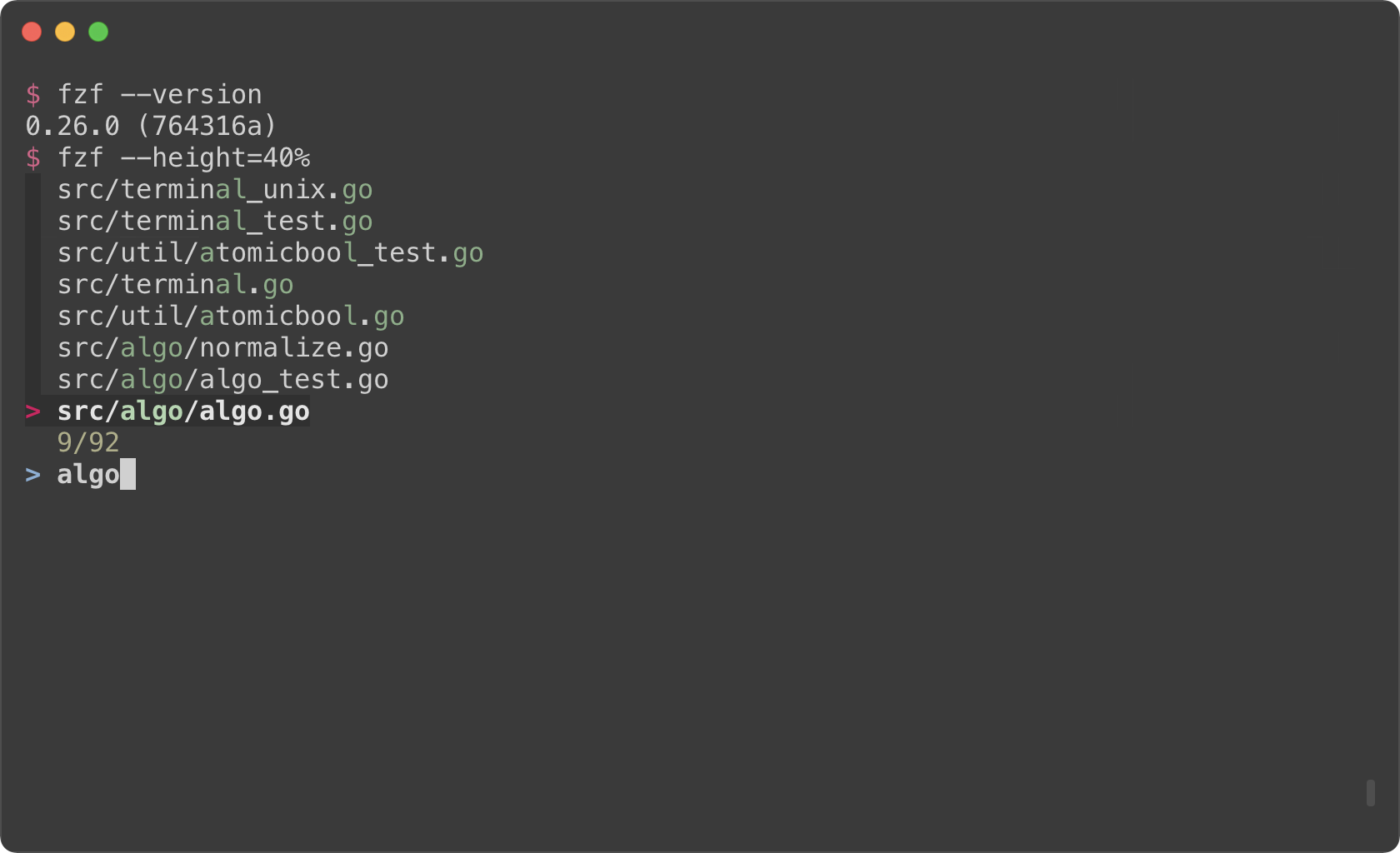
You might also want to experiment with other layout options such as
--layout=reverse, --info=inline, --border, --margin, etc.
fzf --height=40% --layout=reverse
fzf --height=40% --layout=reverse --info=inline
fzf --height=40% --layout=reverse --info=inline --border
fzf --height=40% --layout=reverse --info=inline --border --margin=1
fzf --height=40% --layout=reverse --info=inline --border --margin=1 --padding=1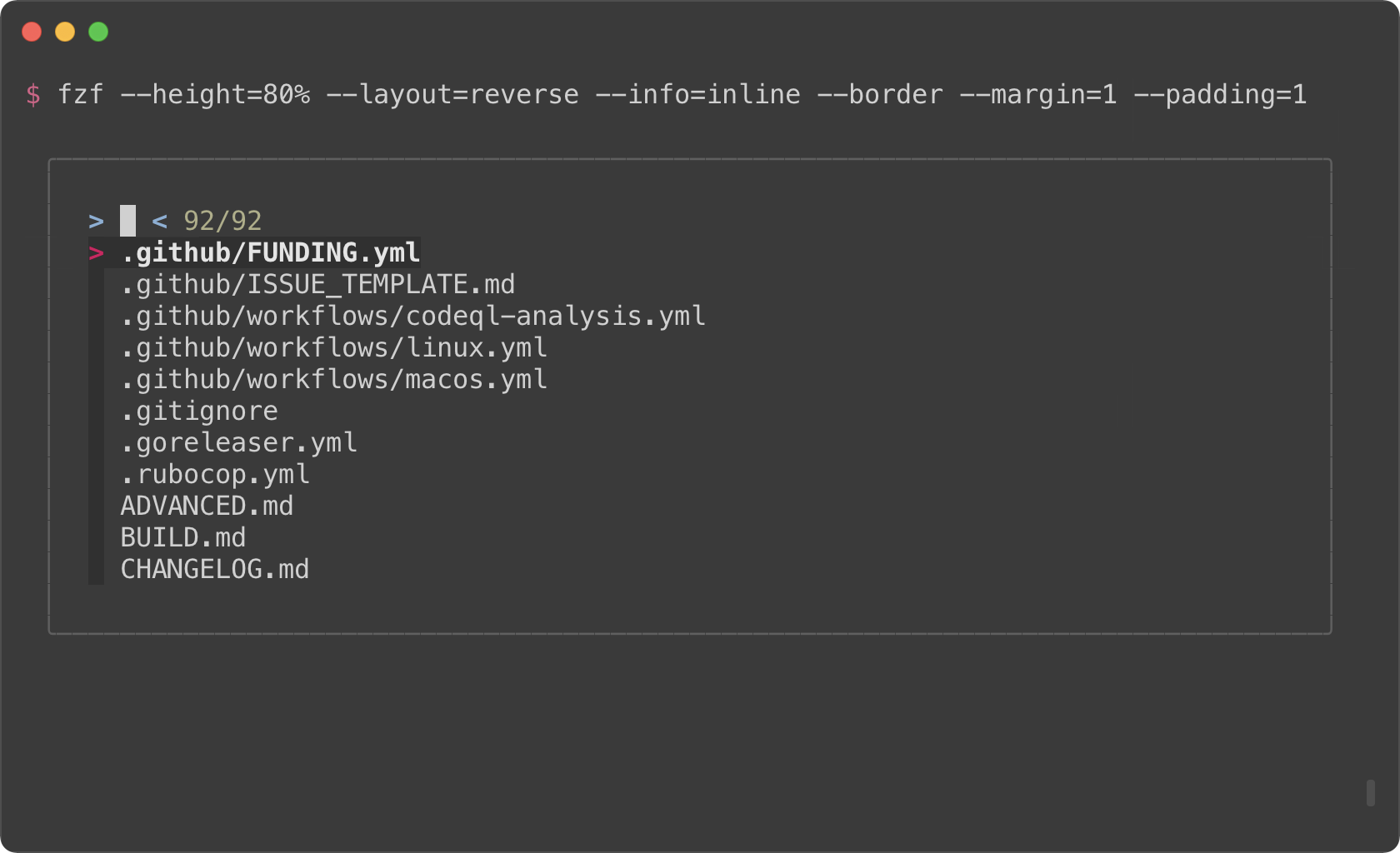
(See man page to see the full list of options)
But you definitely don't want to repeat --height=40% --layout=reverse --info=inline --border --margin=1 --padding=1 every time you use fzf. You
could write a wrapper script or shell alias, but there is an easier option.
Define $FZF_DEFAULT_OPTS like so:
export FZF_DEFAULT_OPTS="--height=40% --layout=reverse --info=inline --border --margin=1 --padding=1"--tmux
(Requires tmux 3.3 or later)
If you're using tmux, you can open fzf in a tmux popup using --tmux option.
# Open fzf in a tmux popup at the center of the screen with 70% width and height
fzf --tmux 70%
--tmux option is silently ignored if you're not on tmux. So if you're trying
to avoid opening fzf in fullscreen, try specifying both --height and --tmux.
# --tmux is specified later so it takes precedence over --height when on tmux.
# If you're not on tmux, --tmux is ignored and --height is used instead.
fzf  --height 70% --tmux 70%
You can also specify the position, width, and height of the popup window in the following format:
[center|top|bottom|left|right][,SIZE[%]][,SIZE[%][,border-native]]
# 100% width and 60% height
fzf --tmux 100%,60% --border horizontal
# On the right (50% width)
fzf --tmux right# On the left (40% width and 70% height)
fzf --tmux left,40%,70%Tip
You might also want to check out my tmux plugins which support this popup window layout.
Dynamic reloading of the list
fzf can dynamically update the candidate list using an arbitrary program with
reload bindings (The design document for reload can be found
here).
Updating the list of processes by pressing CTRL-R
This example shows how you can set up a binding for dynamically updating the list without restarting fzf.
(date; ps -ef) |
fzf --bind='ctrl-r:reload(date; ps -ef)' \
--header=